AI studioChapter 4
Images at home
You can make your persona’s art on your own computer, with no monthly bill and nothing sent to a service. What decides it is your graphics card, your disk and the licence of the model you pick.
- Entry
- A4
- Category
- AI studio
- Checked
- Reading
- 7 min
- Sections
- 6
Evidence
In 30 seconds
- Local generation runs on your graphics card. Its memory decides which models load and how fast they run.
- ComfyUI is a free program that runs open image models on your own computer, even offline.
- Every model comes with a licence. Some allow commercial use, some don’t, and it can change between versions of the same model.
- One model file can take 20 to 40 GB, so plan a drive for them.
- Work in small rounds: describe, generate several, compare, change one thing, write down what worked.
You will learn
- What a GPU and its memory change for image generation.
- What ComfyUI is and why its files can carry your recipe.
- Which open model families make anime art, and what their licences allow.
- How much disk space local generation needs.
- A method for working with AI that gets you to the picture you want.
What your computer needs
Local generation means the model runs on your own computer. Nothing is sent to a service, and there’s no bill per image. The part that matters most is the graphics card, the GPU, and its own memory, called VRAM. More VRAM lets bigger models load in one piece, and that makes them faster. Vivian’s field notesFirst-hand experience, not a study.
You need less than you’d think. ComfyUI says it can run even the biggest open models on 4 GB of VRAM and 8 GB of normal memory, by moving parts of the model in and out while it works. VerifiedChecked against the original source.ComfyUI README (opens in a new tab) Accessed 7 November 2026. Its Windows app recommends a dedicated NVIDIA or AMD card, but it doesn’t require one. VerifiedChecked against the original source.Install ComfyUI Desktop on Windows (opens in a new tab) Accessed 7 November 2026. Without a card, it runs on the processor, more slowly. VerifiedChecked against the original source.ComfyUI system requirements (opens in a new tab) Accessed 7 November 2026.
What the makers say
8 GB
Stability AI says SDXL 1.0 works on consumer cards with 8 GB of VRAM.
VerifiedChecked against the original source.Announcing SDXL 1.0 (opens in a new tab) Accessed 7 November 2026.
86%
Share of a 24 GB card that the lighter version of Qwen-Image used in ComfyUI’s own test.
VerifiedChecked against the original source.ComfyUI Qwen-Image tutorial (opens in a new tab) Accessed 7 November 2026.
Most model makers don’t publish a minimum card. UnverifiedPlausible, not proven yet. In my experience, a small card works but each picture takes longer, and slow rounds make you test less. Vivian’s field notesFirst-hand experience, not a study.
What ComfyUI is
ComfyUI is free software that runs image models on your computer. You build the job as a graph of boxes joined by wires: load a model, write the prompt, generate, save. VerifiedChecked against the original source.ComfyUI README (opens in a new tab) Accessed 7 November 2026. Its core runs fully offline and downloads nothing unless you ask. VerifiedChecked against the original source.ComfyUI README (opens in a new tab) Accessed 7 November 2026. Some optional boxes call paid online models, and those can be switched off. VerifiedChecked against the original source.ComfyUI README (opens in a new tab) Accessed 7 November 2026.
ComfyUI can save a whole workflow and recover it, seeds included, from a picture it made. VerifiedChecked against the original source.ComfyUI README (opens in a new tab) Accessed 7 November 2026. That’s handy as a recipe, and it’s also a leak: a file that carries its recipe shows your prompt and settings to anyone who opens it in the same tool. Vivian’s field notesFirst-hand experience, not a study. Post a clean export, never the original file. See Stay anonymous.
The open model families
A model family is a base model and the versions built on it. For anime art, most people start from a family trained on anime pictures. Vivian’s field notesFirst-hand experience, not a study.
Scroll the table sideways
| Family | Made for | Licence of the model | The pictures you make |
|---|---|---|---|
| SDXL 1.0 (Stability AI) | General, and the base of many anime models | CreativeML Open RAIL++-M | The licensor claims no rights in them |
| Illustrious XL (OnomaAI) | Anime, trained on Danbooru2023 | Changes by version | Posting them isn’t restricted (first release) |
| Pony Diffusion V6 XL (PurpleSmartAI) | Anime and stylised art | Modified Fair AI Public License | Commercial use: ask the makers |
| FLUX.1 [dev] (Black Forest Labs) | General | Non-commercial | Allowed for commercial use |
| FLUX.1 [schnell] | General, fast | Apache 2.0 | Allowed for commercial use |
| FLUX.2 [dev] | General and editing | Non-commercial, filters required | Allowed for commercial use, as its licence describes |
| Qwen-Image (Alibaba) | General, anime included | Apache 2.0 | Not stated separately on its card |
SDXL. It’s released under the CreativeML Open RAIL++-M licence. VerifiedChecked against the original source.SD-XL 1.0-base model card (opens in a new tab) Accessed 7 November 2026. That licence claims no rights in the pictures you make, and makes you accountable for them. VerifiedChecked against the original source.SDXL 1.0 base licence (CreativeML Open RAIL++-M) (opens in a new tab) Accessed 7 November 2026.
Illustrious XL. It’s fine-tuned on the Danbooru2023 dataset of tagged anime pictures. VerifiedChecked against the original source.Illustrious XL early release v0 model card (opens in a new tab) Accessed 7 November 2026. Its first release, v0.1, uses a fair public AI licence that discourages using it to make money. VerifiedChecked against the original source.Illustrious XL early release v0 model card (opens in a new tab) Accessed 7 November 2026. The makers don’t restrict posting the pictures, but you can’t sell a closed, modified copy of the model. VerifiedChecked against the original source.Illustrious XL early release v0 model card (opens in a new tab) Accessed 7 November 2026. Later versions carry different licence tags: “sdxl-license” for v1.0, “creativeml-openrail-m” for v2.0. VerifiedChecked against the original source.Illustrious XL v1.0 model page (opens in a new tab) Accessed 7 November 2026.Illustrious XL v2.0 model page (opens in a new tab) Accessed 7 November 2026.
Pony Diffusion V6 XL. Its licence is a modified Fair AI Public License. VerifiedChecked against the original source.Pony Diffusion V6 XL (opens in a new tab) Accessed 7 November 2026. It can’t run on any website or app that makes money, and commercial use means writing to its makers first. VerifiedChecked against the original source.Pony Diffusion V6 XL (opens in a new tab) Accessed 7 November 2026.
FLUX. The FLUX.1 [dev] model is for non-commercial use only. VerifiedChecked against the original source.FLUX.1 [dev] Non-Commercial License (opens in a new tab) Accessed 7 November 2026. The pictures it makes can still be used for any purpose, commercial included, unless the licence forbids it elsewhere. VerifiedChecked against the original source.FLUX.1 [dev] Non-Commercial License (opens in a new tab) Accessed 7 November 2026. Using the model itself to earn money doesn’t count as non-commercial. VerifiedChecked against the original source.FLUX.1 [dev] Non-Commercial License (opens in a new tab) Accessed 7 November 2026. FLUX.1 [schnell] is under Apache 2.0 and can be used commercially. VerifiedChecked against the original source.FLUX.1 [schnell] model card (opens in a new tab) Accessed 7 November 2026. FLUX.2 [dev] has 32 billion parameters, and its files come with NSFW filters. VerifiedChecked against the original source.FLUX.2 [dev] model card (opens in a new tab) Accessed 7 November 2026. Its licence says filters or manual review must be used. VerifiedChecked against the original source.FLUX.2 [dev] model card (opens in a new tab) Accessed 7 November 2026.
Qwen-Image. It’s licensed under Apache 2.0, and its makers say it handles many styles, anime included. VerifiedChecked against the original source.Qwen-Image model card (opens in a new tab) Accessed 7 November 2026. Its model card says nothing separate about the pictures you make. UnverifiedPlausible, not proven yet.
Two licences to read
The model
What you may do with the model file: share it, change it, sell access to it, or run it on a paid site. Vivian’s field notesFirst-hand experience, not a study.
The pictures
What you may do with what you make: post it, sell it as a custom, use it on a paid page. Vivian’s field notesFirst-hand experience, not a study.
Running a model at home doesn’t take you outside its licence. Read it for the exact version you download, because the licence can change from one version to the next. Vivian’s field notesFirst-hand experience, not a study. None of these licences names findom. UnverifiedPlausible, not proven yet.
Disk space
Models are big files, and you’ll end up keeping several. Vivian’s field notesFirst-hand experience, not a study.
Sizes the makers publish
4.85 GB
ComfyUI’s Windows app alone, per install, before any model.
VerifiedChecked against the original source.Install ComfyUI Desktop on Windows (opens in a new tab) Accessed 7 November 2026.
23 GB
FLUX.1 [dev], original file, about 12 billion parameters.
VerifiedChecked against the original source.ComfyUI Flux.1 text-to-image tutorial (opens in a new tab) Accessed 7 November 2026.
20.4 GB
Qwen-Image, fp8 version.
VerifiedChecked against the original source.ComfyUI Qwen-Image tutorial (opens in a new tab) Accessed 7 November 2026.
40.9 GB
Qwen-Image, bf16 version.
VerifiedChecked against the original source.ComfyUI Qwen-Image tutorial (opens in a new tab) Accessed 7 November 2026.
fp8 and bf16 are two ways of storing the same model. The fp8 file is smaller and lighter on the card, and ComfyUI says its quality is slightly lower than the full version. VerifiedChecked against the original source.ComfyUI Flux.1 text-to-image tutorial (opens in a new tab) Accessed 7 November 2026. The size of an SDXL-based model file isn’t on any official page I read. UnverifiedPlausible, not proven yet. Add your pictures and the small add-on files you’ll collect, and a separate drive with a few hundred GB free is a comfortable start. Vivian’s field notesFirst-hand experience, not a study.
What my own tool makes
I built my own image tool with this method, and one picture takes me about a minute. Here are six pictures of Vivian it made, as they came out. Vivian’s field notesFirst-hand experience, not a study.
Six pictures from my own tool

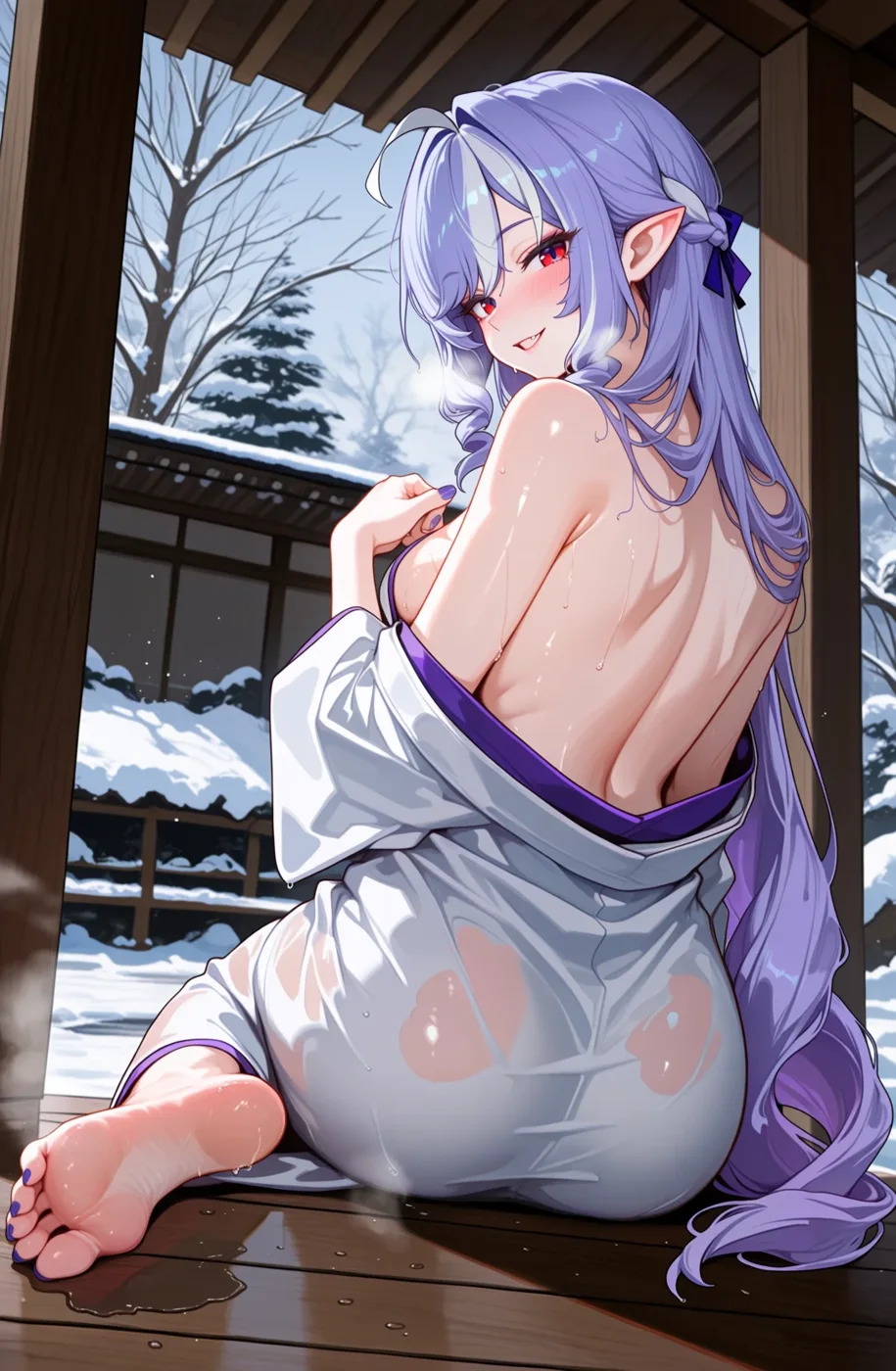
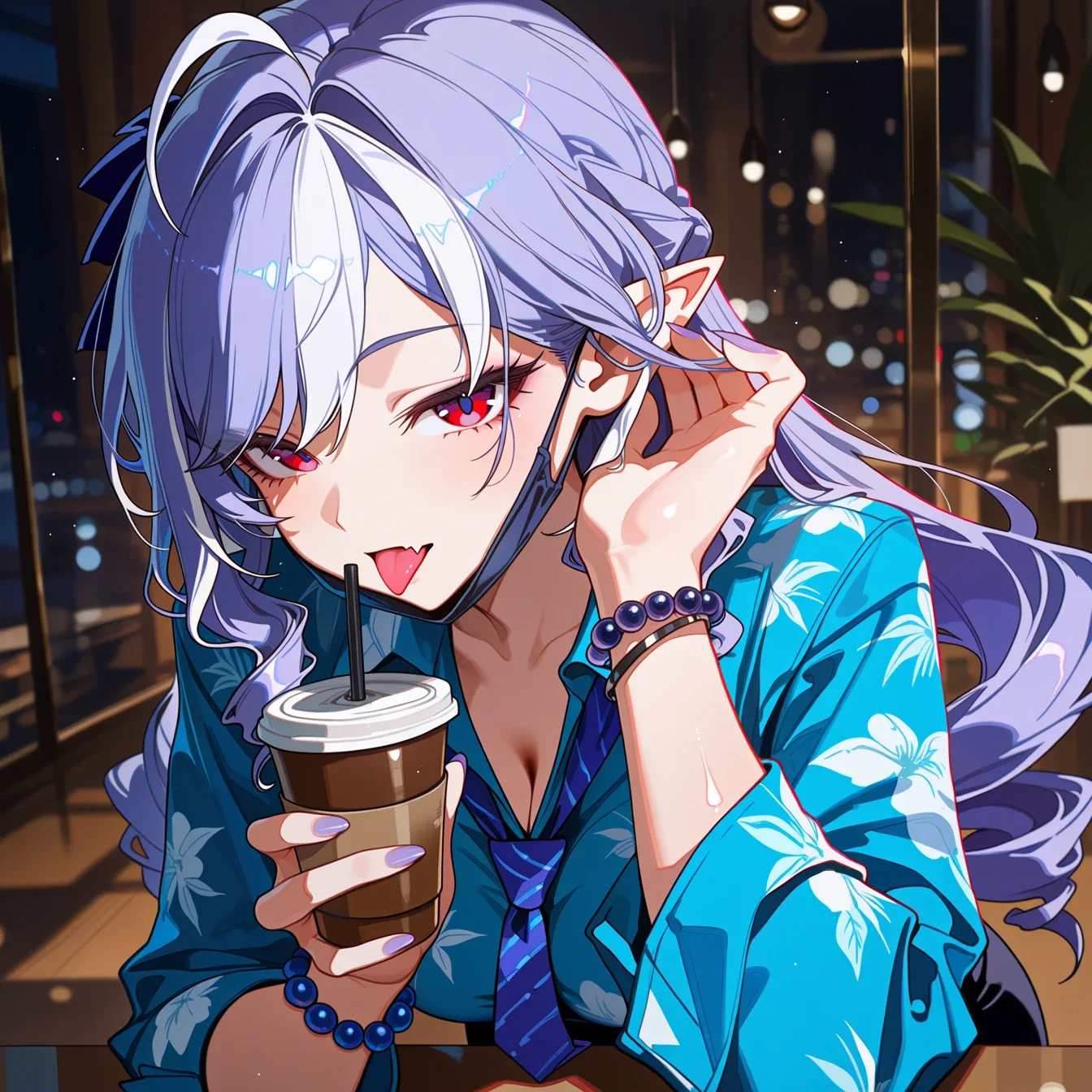
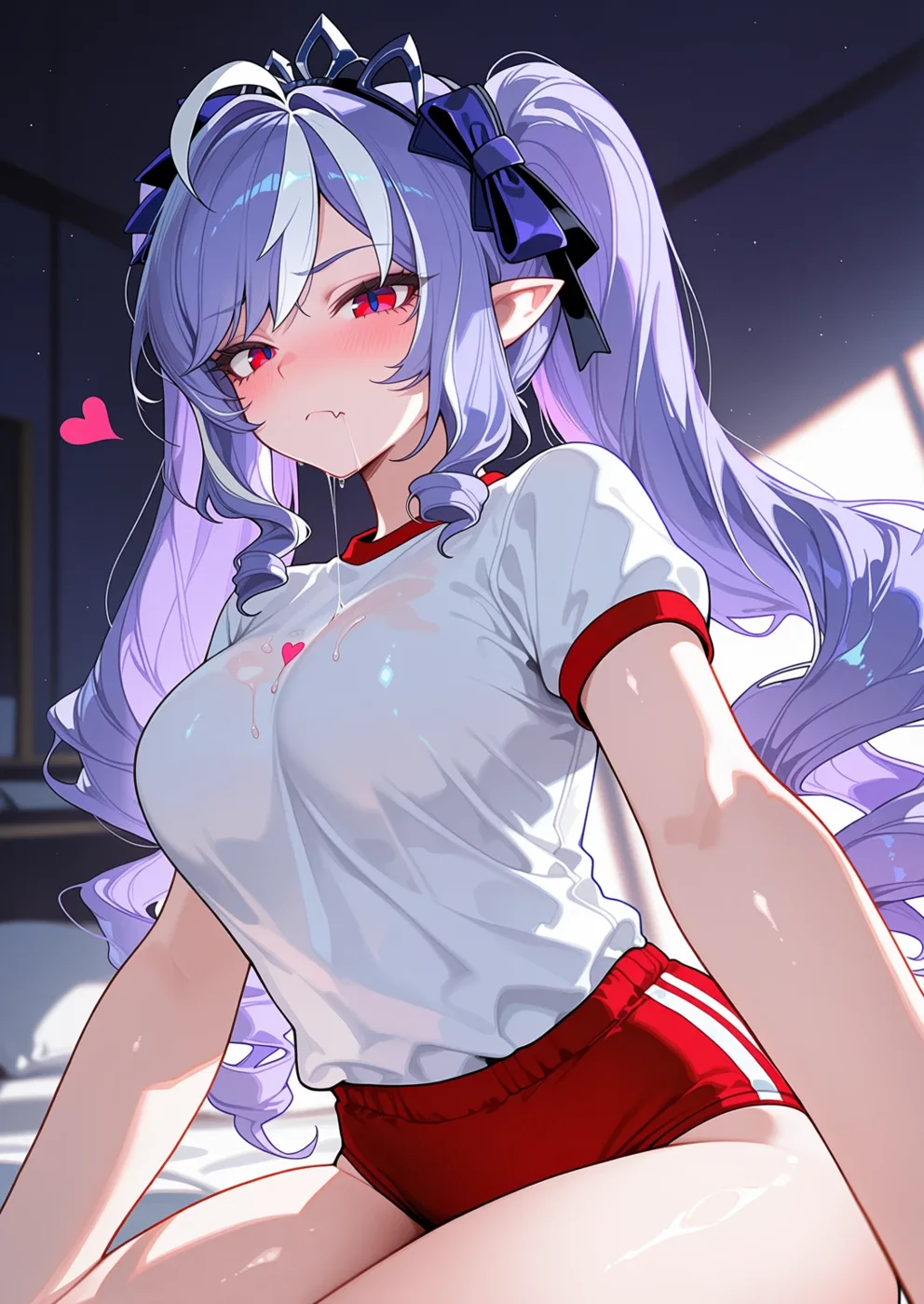


Made by Vivian with an image tool she built herself, about a minute per picture.Vivian’s field notesFirst-hand experience, not a study.
The tool came from the same steps as below: a plain description, many small tries, a board to compare them and a recipe sheet for every keeper. Vivian’s field notesFirst-hand experience, not a study.
How I work with AI
This is my method. It works with a model at home or a service online, for pictures and for words. Vivian’s field notesFirst-hand experience, not a study.
Tutorial
My method, step by step
Step 1 of 7
Say what you want in plain words
Describe the picture the way you’d tell a friend: who, where, the mood, the colours, what she’s doing. Then ask an AI assistant to turn it into a prompt. Vivian’s field notesFirst-hand experience, not a study.
Do this. Write one paragraph before you touch any setting.
Common mistake. Copying a long list of keywords from someone else’s picture. You won’t know which word does what.
Start small
Use a small size and a fast setting while you look for the idea. Go big only once you like it. Vivian’s field notesFirst-hand experience, not a study.
Do this. Keep the first rounds quick, so you can afford many of them.
Generate several
One picture tells you nothing. Make four to eight with the same prompt, so you see what the prompt does and what’s luck. Vivian’s field notesFirst-hand experience, not a study.
Compare on a board
Put the results side by side in one folder or on one page, and mark the ones that work. Look at them the next day too. Vivian’s field notesFirst-hand experience, not a study.
Do this. Pick for the face first. Hands and background are easier to fix later.
Keep a recipe sheet
For every keeper, write the date, the model, the prompt, the settings and one line on why it worked. Vivian’s field notesFirst-hand experience, not a study.
Common mistake. Trusting your memory. Three weeks later you’ll never find that face again.
Fix one thing at a time
Change one word or one setting per round. If you change three things and it gets better, you don’t know which one did it. Vivian’s field notesFirst-hand experience, not a study.
Keep the originals
Save the full-size file and its recipe in a private folder. Post copies only. Vivian’s field notesFirst-hand experience, not a study.
Common mistake. Editing your only copy. You lose the version you could have gone back to.
Ticks stay on this page only. Nothing is saved or sent.
Every step is done.
From words to a prompt
Tap every message that shows a red flag. There are two.
Example conversation. Invented for this exercise.
A line for the recipe sheet
Tap every message that shows a red flag. There is one.
Example conversation. Invented for this exercise.
Selling customs made at home
You want to sell custom pictures of your persona made on your own computer.
- The licence still applies at home. Some forbid paid sites or need you to ask first.
- Right. Note which version you used on your recipe sheet, too.
- Its licence forbids running it on any website or app that makes money.
Remember it
- VRAM decides what loads and how fast. You can start with a small card.
- ComfyUI runs offline, but its files can carry your prompt. Post clean exports.
- Read the licence of the exact version, for the model and the pictures.
- Plan a drive: one model can take 20 to 40 GB.
- Describe, generate several, compare, change one thing, write it down.
What you did.
Check it
Every claim with its evidence level and its sources.
Evidence levels
- Verified
- Checked against the original source.
- Reported
- Stated by a serious secondary source read in full.
- Community
- Widely said in the scene; no document proves it.
- Vivian’s field notes
- First-hand experience, not a study.
- Unverified
- Plausible, not proven yet.
Nothing is sent to a service, and there’s no bill per image.
Vivian’s field notesFirst-hand experience, not a study.
The part that matters most is the graphics card, the GPU, and its own memory, called VRAM.
Vivian’s field notesFirst-hand experience, not a study.
More VRAM lets bigger models load in one piece, and that makes them faster.
Vivian’s field notesFirst-hand experience, not a study.
ComfyUI says it can run even the biggest open models on 4 GB of VRAM and 8 GB of normal memory, by moving parts of the model in and out while it works.
VerifiedChecked against the original source.ComfyUI README (opens in a new tab) Accessed 7 November 2026.ComfyUI README (opens in a new tab)Accessed 7 November 2026
Its Windows app recommends a dedicated NVIDIA or AMD card, but it doesn’t require one.
VerifiedChecked against the original source.Install ComfyUI Desktop on Windows (opens in a new tab) Accessed 7 November 2026.Install ComfyUI Desktop on Windows (opens in a new tab)Accessed 7 November 2026
Without a card, it runs on the processor, more slowly.
VerifiedChecked against the original source.ComfyUI system requirements (opens in a new tab) Accessed 7 November 2026.ComfyUI system requirements (opens in a new tab)Accessed 7 November 2026
Stability AI says SDXL 1.0 works on consumer cards with 8 GB of VRAM.
VerifiedChecked against the original source.Announcing SDXL 1.0 (opens in a new tab) Accessed 7 November 2026.Announcing SDXL 1.0 (opens in a new tab)Accessed 7 November 2026
Share of a 24 GB card that the lighter version of Qwen-Image used in ComfyUI’s own test.
VerifiedChecked against the original source.ComfyUI Qwen-Image tutorial (opens in a new tab) Accessed 7 November 2026.ComfyUI Qwen-Image tutorial (opens in a new tab)Accessed 7 November 2026
Most model makers don’t publish a minimum card.
UnverifiedPlausible, not proven yet.
In my experience, a small card works but each picture takes longer, and slow rounds make you test less.
Vivian’s field notesFirst-hand experience, not a study.
You build the job as a graph of boxes joined by wires: load a model, write the prompt, generate, save.
VerifiedChecked against the original source.ComfyUI README (opens in a new tab) Accessed 7 November 2026.ComfyUI README (opens in a new tab)Accessed 7 November 2026
Its core runs fully offline and downloads nothing unless you ask.
VerifiedChecked against the original source.ComfyUI README (opens in a new tab) Accessed 7 November 2026.ComfyUI README (opens in a new tab)Accessed 7 November 2026
Show all 57 claims
Some optional boxes call paid online models, and those can be switched off.
VerifiedChecked against the original source.ComfyUI README (opens in a new tab) Accessed 7 November 2026.ComfyUI README (opens in a new tab)Accessed 7 November 2026
ComfyUI can save a whole workflow and recover it, seeds included, from a picture it made.
VerifiedChecked against the original source.ComfyUI README (opens in a new tab) Accessed 7 November 2026.ComfyUI README (opens in a new tab)Accessed 7 November 2026
That’s handy as a recipe, and it’s also a leak: a file that carries its recipe shows your prompt and settings to anyone who opens it in the same tool.
Vivian’s field notesFirst-hand experience, not a study.
For anime art, most people start from a family trained on anime pictures.
Vivian’s field notesFirst-hand experience, not a study.
It’s released under the CreativeML Open RAIL++-M licence.
VerifiedChecked against the original source.SD-XL 1.0-base model card (opens in a new tab) Accessed 7 November 2026.SD-XL 1.0-base model card (opens in a new tab)Accessed 7 November 2026
That licence claims no rights in the pictures you make, and makes you accountable for them.
VerifiedChecked against the original source.SDXL 1.0 base licence (CreativeML Open RAIL++-M) (opens in a new tab) Accessed 7 November 2026.SDXL 1.0 base licence (CreativeML Open RAIL++-M) (opens in a new tab)Accessed 7 November 2026
It’s fine-tuned on the Danbooru2023 dataset of tagged anime pictures.
VerifiedChecked against the original source.Illustrious XL early release v0 model card (opens in a new tab) Accessed 7 November 2026.Illustrious XL early release v0 model card (opens in a new tab)Accessed 7 November 2026
Its first release, v0.1, uses a fair public AI licence that discourages using it to make money.
VerifiedChecked against the original source.Illustrious XL early release v0 model card (opens in a new tab) Accessed 7 November 2026.Illustrious XL early release v0 model card (opens in a new tab)Accessed 7 November 2026
The makers don’t restrict posting the pictures, but you can’t sell a closed, modified copy of the model.
VerifiedChecked against the original source.Illustrious XL early release v0 model card (opens in a new tab) Accessed 7 November 2026.Illustrious XL early release v0 model card (opens in a new tab)Accessed 7 November 2026
Later versions carry different licence tags: “sdxl-license” for v1.0, “creativeml-openrail-m” for v2.0.
VerifiedChecked against the original source.Illustrious XL v1.0 model page (opens in a new tab) Accessed 7 November 2026.Illustrious XL v2.0 model page (opens in a new tab) Accessed 7 November 2026.Illustrious XL v1.0 model page (opens in a new tab)Accessed 7 November 2026Illustrious XL v2.0 model page (opens in a new tab)Accessed 7 November 2026
Its licence is a modified Fair AI Public License.
VerifiedChecked against the original source.Pony Diffusion V6 XL (opens in a new tab) Accessed 7 November 2026.Pony Diffusion V6 XL (opens in a new tab)Accessed 7 November 2026
It can’t run on any website or app that makes money, and commercial use means writing to its makers first.
VerifiedChecked against the original source.Pony Diffusion V6 XL (opens in a new tab) Accessed 7 November 2026.Pony Diffusion V6 XL (opens in a new tab)Accessed 7 November 2026
The FLUX.1 [dev] model is for non-commercial use only.
VerifiedChecked against the original source.FLUX.1 [dev] Non-Commercial License (opens in a new tab) Accessed 7 November 2026.FLUX.1 [dev] Non-Commercial License (opens in a new tab)Accessed 7 November 2026
The pictures it makes can still be used for any purpose, commercial included, unless the licence forbids it elsewhere.
VerifiedChecked against the original source.FLUX.1 [dev] Non-Commercial License (opens in a new tab) Accessed 7 November 2026.FLUX.1 [dev] Non-Commercial License (opens in a new tab)Accessed 7 November 2026
Using the model itself to earn money doesn’t count as non-commercial.
VerifiedChecked against the original source.FLUX.1 [dev] Non-Commercial License (opens in a new tab) Accessed 7 November 2026.FLUX.1 [dev] Non-Commercial License (opens in a new tab)Accessed 7 November 2026
FLUX.1 [schnell] is under Apache 2.0 and can be used commercially.
VerifiedChecked against the original source.FLUX.1 [schnell] model card (opens in a new tab) Accessed 7 November 2026.FLUX.1 [schnell] model card (opens in a new tab)Accessed 7 November 2026
FLUX.2 [dev] has 32 billion parameters, and its files come with NSFW filters.
VerifiedChecked against the original source.FLUX.2 [dev] model card (opens in a new tab) Accessed 7 November 2026.FLUX.2 [dev] model card (opens in a new tab)Accessed 7 November 2026
Its licence says filters or manual review must be used.
VerifiedChecked against the original source.FLUX.2 [dev] model card (opens in a new tab) Accessed 7 November 2026.FLUX.2 [dev] model card (opens in a new tab)Accessed 7 November 2026
It’s licensed under Apache 2.0, and its makers say it handles many styles, anime included.
VerifiedChecked against the original source.Qwen-Image model card (opens in a new tab) Accessed 7 November 2026.Qwen-Image model card (opens in a new tab)Accessed 7 November 2026
Its model card says nothing separate about the pictures you make.
UnverifiedPlausible, not proven yet.
What you may do with the model file: share it, change it, sell access to it, or run it on a paid site.
Vivian’s field notesFirst-hand experience, not a study.
What you may do with what you make: post it, sell it as a custom, use it on a paid page.
Vivian’s field notesFirst-hand experience, not a study.
Read it for the exact version you download, because the licence can change from one version to the next.
Vivian’s field notesFirst-hand experience, not a study.
None of these licences names findom.
UnverifiedPlausible, not proven yet.
Models are big files, and you’ll end up keeping several.
Vivian’s field notesFirst-hand experience, not a study.
ComfyUI’s Windows app alone, per install, before any model.
VerifiedChecked against the original source.Install ComfyUI Desktop on Windows (opens in a new tab) Accessed 7 November 2026.Install ComfyUI Desktop on Windows (opens in a new tab)Accessed 7 November 2026
FLUX.1 [dev], original file, about 12 billion parameters.
VerifiedChecked against the original source.ComfyUI Flux.1 text-to-image tutorial (opens in a new tab) Accessed 7 November 2026.ComfyUI Flux.1 text-to-image tutorial (opens in a new tab)Accessed 7 November 2026
Qwen-Image, fp8 version.
VerifiedChecked against the original source.ComfyUI Qwen-Image tutorial (opens in a new tab) Accessed 7 November 2026.ComfyUI Qwen-Image tutorial (opens in a new tab)Accessed 7 November 2026
Qwen-Image, bf16 version.
VerifiedChecked against the original source.ComfyUI Qwen-Image tutorial (opens in a new tab) Accessed 7 November 2026.ComfyUI Qwen-Image tutorial (opens in a new tab)Accessed 7 November 2026
The fp8 file is smaller and lighter on the card, and ComfyUI says its quality is slightly lower than the full version.
VerifiedChecked against the original source.ComfyUI Flux.1 text-to-image tutorial (opens in a new tab) Accessed 7 November 2026.ComfyUI Flux.1 text-to-image tutorial (opens in a new tab)Accessed 7 November 2026
The size of an SDXL-based model file isn’t on any official page I read.
UnverifiedPlausible, not proven yet.
Add your pictures and the small add-on files you’ll collect, and a separate drive with a few hundred GB free is a comfortable start.
Vivian’s field notesFirst-hand experience, not a study.
I built my own image tool with this method, and one picture takes me about a minute.
Vivian’s field notesFirst-hand experience, not a study.
Here are six pictures of Vivian it made, as they came out.
Vivian’s field notesFirst-hand experience, not a study.
Made by Vivian with an image tool she built herself, about a minute per picture.
Vivian’s field notesFirst-hand experience, not a study.
The tool came from the same steps as below: a plain description, many small tries, a board to compare them and a recipe sheet for every keeper.
Vivian’s field notesFirst-hand experience, not a study.
It works with a model at home or a service online, for pictures and for words.
Vivian’s field notesFirst-hand experience, not a study.
Then ask an AI assistant to turn it into a prompt.
Vivian’s field notesFirst-hand experience, not a study.
Go big only once you like it.
Vivian’s field notesFirst-hand experience, not a study.
Make four to eight with the same prompt, so you see what the prompt does and what’s luck.
Vivian’s field notesFirst-hand experience, not a study.
Look at them the next day too.
Vivian’s field notesFirst-hand experience, not a study.
For every keeper, write the date, the model, the prompt, the settings and one line on why it worked.
Vivian’s field notesFirst-hand experience, not a study.
If you change three things and it gets better, you don’t know which one did it.
Vivian’s field notesFirst-hand experience, not a study.
Post copies only.
Vivian’s field notesFirst-hand experience, not a study.
I use the AI chat for words and planning, and the image tool for pictures. The chat helps me describe, compare and decide. The pictures come from rounds, never from one perfect prompt. I never paste anything real into either one, as Pick your AI explains.
Vivian’s field notesFirst-hand experience, not a study.